Free alternative to Office on Mac

OpenOffice for Mac is a free powerful office suite that provides a good replacement for Microsoft Office for Mac.

OpenOffice for Mac is a multi-platform and multilingual office suite that is compatible with all other major office suites (meaning it will open and edit Word, Powerpoint documents etc) and best of all, its absolutely free to use.

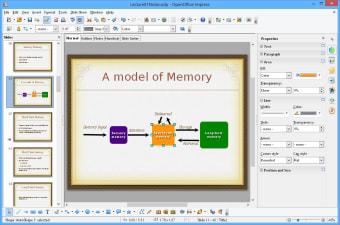
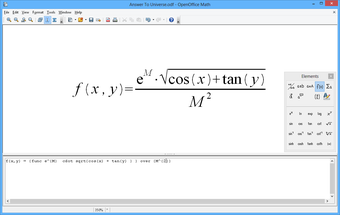
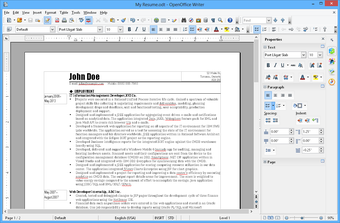
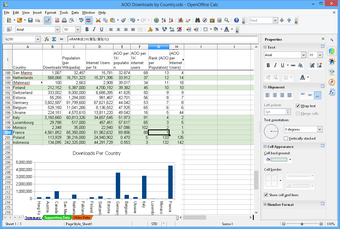
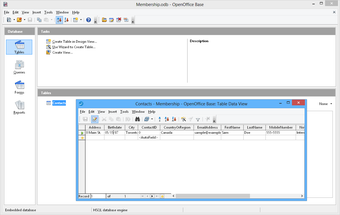
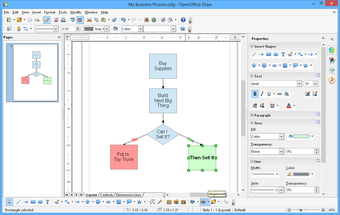
OpenOffice for Mac includes the key desktop applications, such as a word processor, spreadsheet, presentation manager, and drawing program with a user interface and feature set similar to other office suites. It may not be quite as polished as Microsoft Office but considering you get all this for nothing, you really can't complain. The six components OpenOffice for Mac comes with are Write, Calc (spreadsheets), Impress (presentations), Draw, Base (database management) and Formula (mathematical application).

There are some drawbacks to OpenOffice for Mac of course. Occasionally, you will experience formatting or printing issues when using documents that have been made in Microsoft Office. However, the main one is that since it is largely based on Java, it can be rather slow and unresponsive particularly when opening new files. This has certainly been improved in the latest releases but its still a sluggish old thing compared to Microsoft Office. The numerous settings and buttons that come with it can also be a little overwhelming too and it would be nice to see it made a little simpler and streamlined in future releases.

If you're strapped for cash or simply don't want to install Microsoft software on your Mac, OpenOffice for Mac is an excellent, if slightly imperfect alternative.


  • Pros

    • Free to use
    • Opens Microsoft Office documents including Word and Excel
    • Includes a word processor, spreadsheet, presentation manager, and drawing program
    • Good alternative to Microsoft Office
  • Cons

    • Slow at opening documents and can be unresponsive sometimes
    • Too many buttons and settings
    • Based mainly on Java
 0/6

App specs

Program available in other languages


User reviews about Apache OpenOffice

3.1

3 reviews

Add review

Main reviews for you

  • Anonymous user

    Yes ı would reccomend it. Because it helps to improve my works.

  • Anonymous user

    Useful editing tool . Useful editing tool as an alternative to Microsoft office. I recommended it to many friends of mine. It is free and easy to use. Pros: basic function Cons: dislike its menu bar

  • Anonymous user

    Restore windows bug. since I installed the 3.4.1. version I got the Restore Winows bug on my Mac, nothing proved usefull to get if of, it still comes back after each 'force quit' and I could not save any worksheet for weeks. Pros: none Cons: this version upgraded my Mac to a "read only" computer, I have to use my old Windows XP machine for all workbook activities untill somebody finds a solution for my problem.

More

You may also like

Alternatives to Apache OpenOffice

Explore Apps

Latest articles

Laws concerning the use of this software vary from country to country. We do not encourage or condone the use of this program if it is in violation of these laws.
Softonic

Is Apache OpenOffice safe?

100/100

Score result: Clean

This file passed a comprehensive security scan using VirusTotal technology. It is safe to download.

  • Virus free
  • Spyware free
  • Malware free
  • Verified by Security Partners

    VirusTotal logo

Scan Info

Last scan
Wednesday, January 7, 2026
Scan provider
VirusTotal · Full report

File Integrity

File
4.1.16.dmg
SHA256
9aa4f33a05e824b92ef5637f385b59dce0453069587e636bfc6ff7bb5281c4d1
SHA1
d70115295d110afc2909b42ab4f84e952d1284df

Softonic security commitment

Apache OpenOffice has been thoroughly scanned by our advanced security systems and verified by industry-leading partners. This file comes from the official developer and has passed all our security checks, showing no signs of viruses, malware, or spyware. For more information, visit our Security and Trust Center